A Tiny Visual System That Keeps Your Brand Consistent
Consistency is what makes a small brand look bigger and more trustworthy than it is. When your posts share the same colors, the same type, and the same photo feel, people start recognizing you in the feed before they read a word. That recognition comes from repeating a few simple choices, not from design skill. You can set the whole thing up in an afternoon and stop thinking about it.
The trap is the opposite: reinventing the look every time you post. A new font here, a different filter there, a stock photo that matches nothing else. No single post is bad. Together, though, they look like five different businesses. The fix is a tiny visual system — a short, fixed set of decisions you make once and reuse.
Why does brand consistency matter if I'm just a small business?
Because recognition is cumulative. A potential customer might see your post six times before they ever click. If those six posts look like they came from the same place, each one reinforces the last: your name, your colors, your face. If they look unrelated, you start from zero every time.
There's a money side too. A Lucidpress study (building on earlier benchmark research with Demand Metric), surveying more than 200 organizations, found that consistently presenting a brand can increase revenue by up to 33%. That number is for larger companies, so don't read it as a promise for your shop. But the direction is the point: looking like one coherent business pays off, and it's one of the few brand levers a solo owner can pull for free.
What are the only five things I actually need to decide?
Keep the system small enough to memorize. These five decisions cover almost everything you'll ever post:
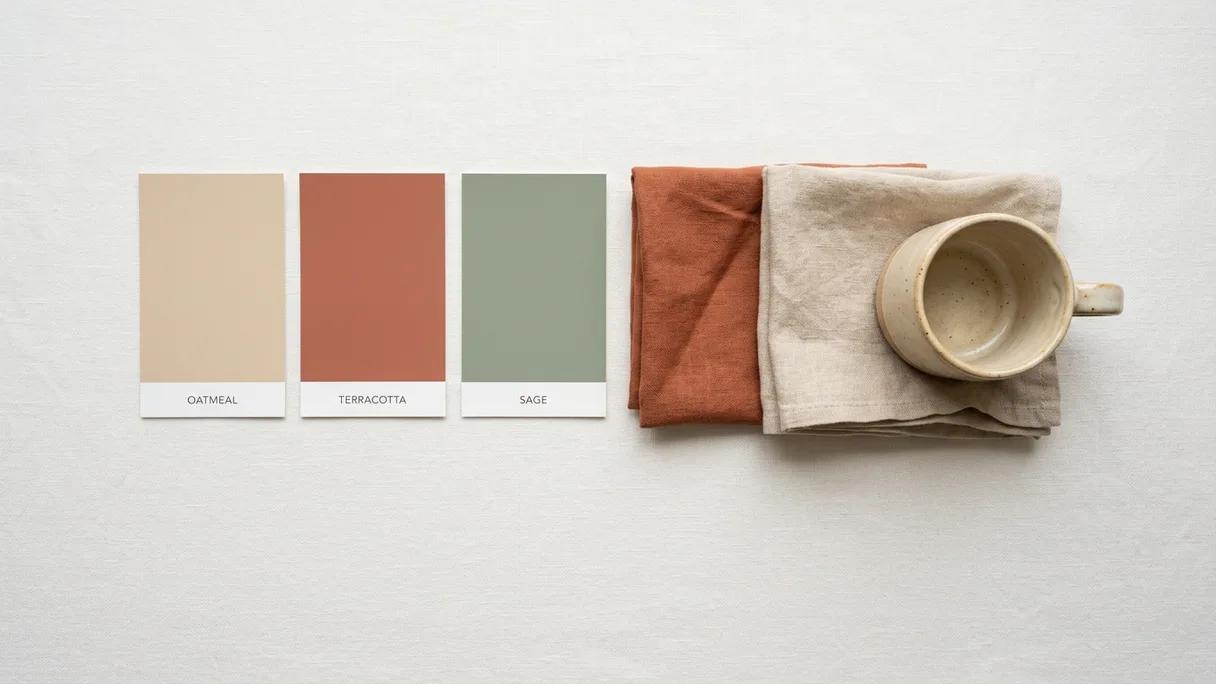
- Colors. Pick two or three. One main color that feels like you, one neutral (off-white, charcoal, warm gray) for backgrounds and text, and at most one accent for buttons or highlights. Save the exact hex codes (like #1A1A1A), not "that blue."
- Fonts. One font for headlines, one for body — or just one, used in two weights. Choose something legible on a phone over something clever, and stick with it.
- Photo look. Decide how your photos feel: bright and airy, warm and moody, clean and plain. Use the same light and the same edit every time. Real photos of your work, your space, and your face beat stock.
- Logo or wordmark. You don't need a designed logo. Your business name set in your chosen font, in your main color, is a wordmark, and it's enough. Save one clear version with a transparent background.
- Two or three templates. A quote layout, a "before/after" or single-photo layout, and a simple announcement layout. Most of your posts are really one of these three, dressed in your colors and type.
That's the entire system. Notice what's not on the list: trend fonts, a dozen colors, a new layout per post. Constraints are what make you look consistent, and what make posting fast.
How do I choose colors and fonts without a design background?
Start from something that already exists instead of a blank screen. If you have a logo, a storefront, or a product with a color you love, pull your palette from that. If not, find one photo of your work that feels right and build around the colors already in it. Your brand should match your real-world vibe, not fight it.
For colors, use a free tool like Coolors or Adobe Color to generate a palette and grab the hex codes. A safe formula: one dominant color, one neutral, one accent. Color is one of the fastest ways people recognize a brand, so using the same one or two consistently does a lot of quiet work. Don't overthink the shade; just stop changing it.
For fonts, less is more. Google Fonts is free and works everywhere. Pick one clean, readable family and use it in bold for headlines and regular for body. Pairing two fonts is a common way to look messy, so when in doubt, use one. For most small brands, the biggest upgrade is simply choosing a font and never deviating.
Where do I keep all this so I actually use it?
A system you can't find in five seconds is a system you'll abandon. Put everything in one place you'll open anyway.
- A free Canva Brand Kit is the easiest option. Drop in your hex codes, upload your fonts and logo, and save your templates. Every new design starts pre-loaded with your colors and type.
- A single notes page works too. List the hex codes, font names, your photo-edit settings, and a sentence describing your look. Pin it somewhere you'll see it.
- A folder of approved photos so you're never reaching for random stock. Add to it whenever you take a good shot of your work or your space.
The point is to remove the decision. When the colors, fonts, and templates are already set, posting becomes "drop in the photo and the words," not "design something from scratch." That's the difference between a brand you maintain and one you mean to get to someday.
How do I stay consistent across Instagram, TikTok, and everything else?
Same five decisions, adapted to each canvas, not reinvented. Your colors, fonts, and photo look travel everywhere. What changes is shape and motion: a square or vertical crop for the grid, a vertical full-frame for Reels and TikTok, the same wordmark in the corner of a video that you use on a static post.
A practical move is to start from one idea and dress it for each platform: the same photo and message becomes a feed post, a story, and a short video, all sharing your look. That's how a one-person business shows up everywhere and still looks like one brand. Build the system once, and let it ride across channels.
This is also where the weekly effort can quietly disappear. Laspi Pro turns a weekly voice note and a few of your own photos into a week of ready-to-publish posts for each platform — written in your language, built around your photos, in your look — and you just approve and publish. It's one way to keep the system running without sitting down to design anything.
What's the smallest version I can start with this week?
Don't wait for a perfect brand. Pick a main color and a neutral. Choose one font. Take five real photos of your work in the same light. Make one template. Post with it three times. You'll refine as you go, and within a few weeks the look will feel like yours.
Consistency isn't a talent. It's a small set of decisions you stop re-making.
The brands that look polished on a tiny budget aren't more creative than you. They just decided their colors and fonts once and never relitigated them. Lock your five, save them where you'll find them, and let repetition do the rest. If you want to go deeper on building visuals yourself, the course below walks through design without a designer, step by step.
Frequently asked questions
- Can I have a consistent brand without a logo?
- Yes. Your business name set in your chosen font and main color is a wordmark, and it works as well as a logo for most small businesses. Use it the same way every time — same font, same color, same placement — and it becomes recognizable.
- How many colors and fonts should a small brand use?
- Two or three colors and one or two fonts. A common formula is one main color, one neutral for backgrounds and text, and one accent, paired with a single font used in bold for headlines and regular for body. Fewer choices look more consistent and are faster to apply.
- What's the easiest free tool to keep my brand consistent?
- Canva's free Brand Kit is the simplest: you save your colors, fonts, logo, and templates once, and every new design loads with them automatically. If you prefer, a single notes page with your hex codes, font names, and photo-edit settings does the same job.
- Do I need professional photos for a consistent brand?
- No. Real photos of your work, space, and face — shot in similar light and edited the same way — look more consistent and more trustworthy than mismatched stock images. Keep a folder of approved photos so you always pull from the same well.
- How long does it take to set up a basic brand system?
- An afternoon. Choosing two or three colors, one or two fonts, a photo look, a wordmark, and a couple of templates, then saving them in one place, is enough to start. You refine the details over the following weeks as you post.
Sources
- PR Newswire / Lucidpress, 2019 — Consistently presenting a brand can increase revenue by up to 33%, per a Lucidpress study of more than 200 organizations, building on earlier benchmark research with Demand Metric that found 23%.