Work Travel Kit That We Actually Use (2024)
Last year, I found myself lugging around way too much “essential” gear for remote work. Every trip, I’d promise to trim down—and every time, I’d end up with shoulder pain and a bag stuffed like a Thanksgiving turkey. So in 2024, I finally got ruthless. My actual work travel kit now fits in a pouch, weighs less than my lunch, and does exactly what I need. Here’s the real gear I carry, what made the cut, and what I ditched (with zero regrets).
The Context: Why “Essentials” Got Out of Hand
Let’s be honest: If you work remotely and travel, you’ve probably read a dozen “ultimate digital nomad packing lists.” I used to fall for them, too. Extra cables? Check. Second monitor? Check. “Just in case” gadgets? Check. It all adds up—until you realize you’re packing more tech than a Best Buy shelf.
After one too many sprints through airports (and one tragic coffee spill on a backup keyboard I never used), I got serious about what actually earns its place in my kit.
My new rule: If it doesn’t get used at least once a week, it stays home.
The Kit: What I Actually Use
Here’s my honest, no-fluff work travel kit for 2024. Everything fits in a single organizer pouch and weighs in—ready for any workspace, from a hostel in Lisbon to a rental cabin in the Smokies.
Laptop: The Heart of the Operation
I use a Dell XPS 13 (2022). It’s light (2.6 lbs), has solid battery life (8+ hours on a real workday), and enough oomph for dev work, video calls, and the occasional photo edit. MacBook Air or Pro? Also great—pick your poison, just keep it under 3 lbs.
USB-C Hub: The Secret Weapon
I tried going “dongle-free,” but there’s always that one Airbnb TV or client with a USB drive. My pick: Anker 7-in-1 USB-C hub. Slim, reliable, never overheats. HDMI, SD card, two USB-A, Ethernet (rarely used but a lifesaver in spotty Wi-Fi hotels). $35, worth every penny.
Charger: Fast and Universal
After frying a laptop with a sketchy adapter in Croatia, I invested in a Baseus 65W GaN charger (folding US/EU/UK prongs, two USB-C, one USB-A). Charges everything—laptop, phone, headphones. No more brick-sized power blocks.
Laptop Stand: Save Your Back
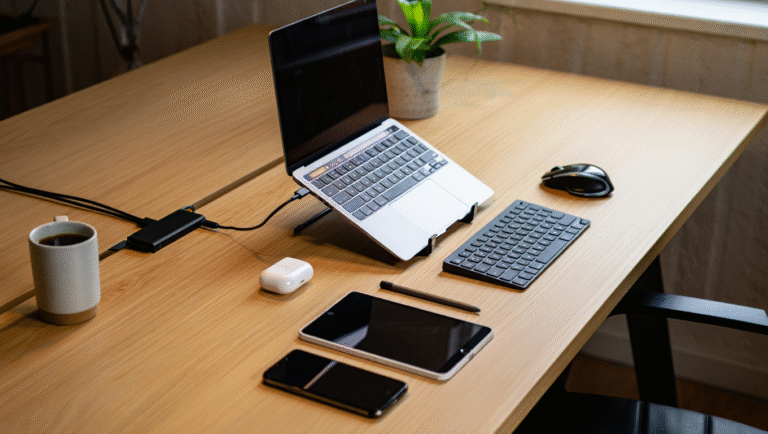
My must-have: Nexstand K2. Weighs half a pound, folds up like chopsticks. Instantly turns any table into a decent desk. Your neck will thank you, trust me.
Headphones: Meetings & Focus
Noise is everywhere—cafés, airports, even “quiet” co-working spaces. I use Sony WH-1000XM4 over-ears (the XM5s are nice but bulkier). 30-hour battery, solid ANC, comfy for long calls. For backup/invisibility: Jabra Elite 3 earbuds, pocket-sized and decent mic.
SSD: Backup or Bust
Cloud is great—until you’re offline, or your drive fails. I keep a Samsung T7 1TB SSD: fast, tiny, rugged. Weekly backups, quick file swaps, no sweat if I lose Wi-Fi for a day.
Pouch: The Organizer
All the above fits in a Tomtoc Tech Pouch (medium size, about $35). Zippered pockets, soft padding, no cable spaghetti. Bonus: doubles as a day bag if I’m out without the laptop.
What Got the Axe (And Why)
I’ve tried and cut a lot of gear. Here are the “almost essentials” that didn’t make the cut:
- Portable Monitor – Heavy, awkward, rarely used outside hotel rooms. I use split-screen or my phone as a second display (apps like Duet Display work in a pinch).
- Bluetooth Mouse – I code and write almost everything from the keyboard. For design work, I’ll grab a cheap mouse locally if needed.
- External Keyboard – Too bulky. If I’ll be in one place for weeks, maybe. Otherwise, laptop keyboard wins.
- HDMI/VGA Cables – My hub covers the basics; anything else is out of scope for travel.
- Travel Router – Used to swear by it, but phone tethering and better Wi-Fi have made it obsolete for me.
- Power Strip – If I’m in hostels or hotels with limited outlets, I’ll buy a cheap one there and leave it behind.
One thing you probably don’t need: emergency “pocket” projectors. If you ever actually use one, email me—I owe you a coffee.
How to Build Your Own: 15-Minute Checklist
Want your own lean, mean work travel kit? Here’s the 15-minute process I used to pare down:
- Dump all your tech gear on the bed.
- Pick up each item. Ask: When did I last use this on the road?
- If it’s not weekly-use, put it in the “maybe” pile.
- Fit your “must-haves” in a pouch or organizer. If it doesn’t fit, something’s gotta go.
- Test your kit for a week. Anything you miss? Add it back. Anything unused? Out it goes.
My 2024 Work Travel Kit: Table
| Item | Model | Weight | Use Case |
|---|---|---|---|
| Laptop | Dell XPS 13 (2022) | 2.6 lbs / 1.2 kg | Main work machine |
| USB-C Hub | Anker 7-in-1 | 0.22 lbs / 100 g | Ports for all the things |
| Charger | Baseus 65W GaN | 0.33 lbs / 150 g | Charges all devices |
| Laptop Stand | Nexstand K2 | 0.5 lbs / 230 g | Ergonomics |
| Headphones | Sony WH-1000XM4 | 0.55 lbs / 250 g | Meetings, focus |
| SSD | Samsung T7 1TB | 0.15 lbs / 70 g | Backups, files |
| Pouch | Tomtoc Tech Pouch M | 0.44 lbs / 200 g | Organization |
Helpful Links & Tools
- Anker 7-in-1 USB-C Hub
- Baseus 65W GaN Charger
- Nexstand K2 Stand
- Sony WH-1000XM4 Headphones
- Samsung T7 SSD
- Tomtoc Tech Pouch
- Duet Display (phone as second monitor)
*If you’re on the fence about anything above, rent or borrow before you buy. Your back (and wallet) will thank you.
Some links above may be affiliate. You pay the same price, and this blog may earn a small commission. Thanks for helping keep the coffee flowing!