Routines That Survive Sick Days and School Breaks
Ever notice how your most productive week is usually the one right before your kid gets sick or school closes for “teacher training”? Happens to me every time. Suddenly, your meticulously crafted routine gets nuked and you’re left juggling deadlines, a thermometer, and a child watching cartoons in your office chair. Welcome to the world of remote work with kids—where sick days and surprise school breaks are basically a recurring boss battle.
Planning for Chaos: Why You Need a Backup Routine
Let’s be blunt: your regular schedule isn’t built for chaos. It’s built for “normal,” and if you’re raising kids, “normal” is a setting on the dryer, not real life. I learned this the hard way during a flu outbreak last winter. Without a plan B, work (and sanity) went downhill fast.
Sick days aren’t rare events—they’re inevitable. The smartest remote workers I know have backup plans ready to roll, so they’re not scrambling when things go sideways.
Case Study: The Feverish Product Launch
Last year, my daughter woke up with a 102°F fever the morning I was supposed to present a new feature to a client. With zero backup plan, I ended up demoing software with a child on my lap and a cold compress balancing on her forehead. The demo went okay, but it was not my finest hour.
That was my cue to get serious about routines that survive sick days and school breaks. Here’s what’s actually worked since then.
Step-by-Step: Setting Up Your “Sick Day” Workflow
1. Build a Bare-Bones “Survival” Schedule
Your normal workday is toast. What’s the absolute minimum you need to do to keep things moving? Figure out:
- Top three work priorities (must-do, not nice-to-do)
- Times of day when your kid is most likely to rest (nap, movie, quiet time)
- Tasks that can be paused or delegated
2. Prep “In Case of Emergency” Client Messages
Don’t wait until you’re frazzled to write an email. Have templates ready for:
- Meeting reschedule requests
- Deadline adjustment notices
- Quick status updates
Example template:
Hi [Client Name],
Just a heads-up—my child is home sick today, so my response time may be a bit slower than usual. I’ll keep you updated on any changes to our timeline.
Thanks for your understanding,
Evan
3. Minimal Gear, Maximum Flexibility
Forget the full home office setup—on sick days, you need:
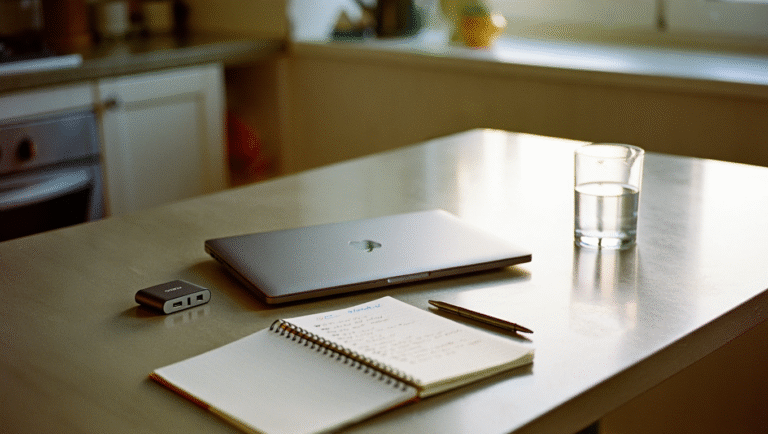
- Laptop + charger (always charged and portable)
- Noise-cancelling headphones
- Mobile hotspot or backup WiFi (I use a $10 prepaid SIM as a backup—saved me more than once)
- Notebook and pen (because sometimes screens are just not happening)
- One “distraction toolkit” for your kid (coloring books, audiobooks, favorite movies loaded offline)
4. Communicate Early, Communicate Often
Clients don’t want surprises. A quick Slack or email as soon as you know your day’s about to go sideways buys you a lot of goodwill.
5. Make Peace With “Good Enough”
*Perfectionism is your enemy on sick days.* I used to lose my mind if I couldn’t hit inbox zero. Now, I focus on protecting the essentials—anything else gets punted to tomorrow.
Checklist: Sick Day Survival Kit for Remote Workers
| What | Why | How to Prep |
|---|---|---|
| Backup schedule template | Keeps your priorities clear | Create a “minimum viable day” plan |
| Client communication templates | Reduces stress, saves time | Draft and save in your email client |
| Portable work setup | Lets you work anywhere—couch, bed, car | Keep bag packed with essentials |
| Kid distraction toolkit | Buys you pockets of focus | Refresh weekly with new books/games |
| Backup WiFi/hotspot | Prevents tech disasters | Test your hotspot or get a SIM card |
Tools & Resources That Make Life Easier
- Calendly: Block off time around sick days for meetings to avoid accidental bookings.
- Slack “/away” status: Use custom statuses to signal your availability.
- Todoist: Create “critical” and “can wait” lists so you know where to focus.
- Google Drive offline mode: Access files even if you’re working from the bedroom floor.
- Spotify Kids / Audible: For distraction and learning—headphones recommended.
Pro-tip: Keep a folder called “Sick Day Game Plan” on your desktop with your templates, schedules, and a list of your go-to kids’ entertainment. In a pinch, you’ll thank yourself.
What Actually Happens: A Real-World Example
A few months ago, my son came down with a stomach bug during a sprint week. My wife and I split the day into two-hour shifts—one wrangling the sick kid, the other on calls. I used my backup schedule, messaged my clients before 8 AM, and hacked away at only the most critical tasks. Was it my best day? Nope. Did anything fall apart? Also nope.
The secret isn’t having zero interruptions. It’s having a plan to handle them—so you can get back to normal faster, and with less stress.
Final Thoughts: Embrace the Mess
Remote work with kids is never going to be perfectly smooth. But a little prep—templates, backup gear, and a “good enough” mindset—makes it survivable. Sometimes, that’s all you need.
Some links in this post may be affiliate links. You get the same price, and I may earn a small commission that helps support this site.