Minimal Desk Lamps That Don’t Strain Eyes
Let’s be honest: the wrong desk lamp can destroy your focus, ruin your Zoom-face, and have you squinting like you’re deciphering ancient runes. I learned this the hard way after a week in a dark Airbnb, where my “work lamp” was a flickery bulb hanging from a frayed wire. Turns out, good lighting is one of the best upgrades for your home office—especially if you’re working remote, hopping between rentals, or just want a clean, eye-friendly setup.
Why Desk Lamps Matter More Than You Think
We’re not just talking about aesthetics. Poor lighting leads to headaches, tired eyes, and even makes you look older on video calls (no joke). A minimal, well-chosen lamp does more than brighten your desk: it boosts mood, helps you focus, and keeps you from squinting through spreadsheets at 10pm.
“The best lamp is the one you barely notice—except when it’s gone.” (A lesson from last winter’s power outage.)
But with a million options, how do you find a lamp that’s minimal, fits your space, and doesn’t burn your retinas?
My Criteria: What Makes a Desk Lamp Actually Minimal (and Good for Eyes)?
- Color Temperature: 4000–5000K is the sweet spot for work—neutral white that’s easy on eyes and doesn’t distort colors.
- CRI (Color Rendering Index): Go for 90+—this means reds, blues, and skin tones look natural, not washed out.
- Glare Control: The shade or diffuser matters. You want soft, even light, not laser beams in your eyes.
- Adjustability: Height, angle, and brightness—bonus if it has touch controls or a timer.
- Minimal Footprint: No chunky bases or tangled wires. Desk real estate is precious.
- Budget: There’s no shame in a $30 lamp, but sometimes it pays to spend a little more for longevity.
Case Study: My Airbnb Desk Disaster (And the Fix)
Last summer in Asheville, I was juggling code reviews and toddler snacks in a tiny rental. The only “desk lamp” was, I kid you not, a clip-on reading light with a blue LED. After a week of headaches and feeling like a cave troll, I bought a TaoTronics LED Desk Lamp for $35, shipped to my next stop. Total game changer: adjustable color temp, soft light, and took up almost no space.
Step-by-Step: Picking a Minimal Lamp That Won’t Wreck Your Eyes
- Measure Your Desk Space. For small desks (<90cm wide), look for a lamp with a narrow base or clamp mount. Larger desks can handle bigger lamps or even overhead arms.
- Decide Where to Place It. If you’re right-handed, put the lamp on your left (and vice versa). Avoid placing it directly behind your monitor—side lighting is easier on eyes and minimizes glare.
- Check Color Temp Options. If possible, choose a lamp with adjustable CCT (Correlated Color Temperature). Daytime? 5000K. Evenings? 4000K or lower.
- Look for CRI 90+. Most cheaper lamps skip this spec—dig into the details or reviews. It makes a difference, especially if you work with design or photos.
- Read Reviews on Glare and Flicker. Some LEDs flicker imperceptibly, but your eyes notice. If you’re sensitive, search for “flicker-free” in product specs.
- Decide on Controls. Touch controls are great (no fumbling in the dark). Some pricier models offer timers or auto-dimming, which can be handy if you work late.
- Stick to Simple Styles. Minimal means fewer visual distractions. Matte black, white, or silver finishes tend to blend in, not stand out.
Quick Comparison Table: Minimal Desk Lamps for Every Budget & Space
| Lamp | Price | Color Temp | CRI | Footprint | Why I Like It |
|---|---|---|---|---|---|
| TaoTronics LED Desk Lamp | $35–$45 | 2700–6500K (adjustable) | 90 | Compact base | Budget pick, adjustable, USB port |
| BenQ e-Reading Lamp | $180 | 2700–5700K | 95 | Large, but clamp option | Super wide coverage, no glare—ideal for wide desks |
| Xiaomi Mi LED Desk Lamp 1S | $45–$60 | 2700–6500K | 90 | Slim base | Minimal design, app control, great value |
| Dyson Lightcycle Morph | $650 | 2700–6500K, auto adjusts | 90+ | Medium | For the “treat yourself” crowd: auto brightness, gorgeous build |
| IKEA Forsa | $30 | Depends on bulb | Depends on bulb | Small base | Classic look, metal, pick your own bulb (choose LED 4000K, CRI 90+) |
| Loftlight Clamp Lamp | $60–$80 | Adjustable | 90 | Clamp (no base) | Perfect for tiny desks or moving setups |
Checklist: Setting Up Your Lamp for Maximum Comfort
- Place lamp on the opposite side of your writing hand
- Angle the light so it covers your work area, but not your eyes
- Use a 4000–5000K setting for most tasks
- Dim the light for evening sessions to avoid overstimulation
- If your lamp uses bulbs, pick LED with CRI 90+, 4000–5000K
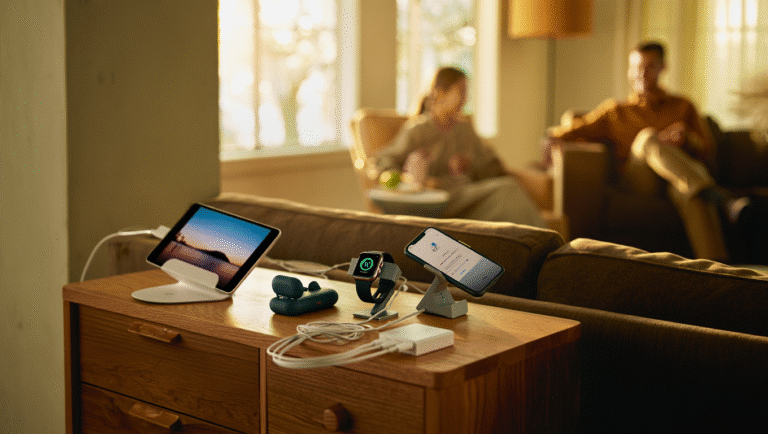
- Keep lamp base clear of clutter (wireless chargers and cable organizers help)
- Test for glare on your monitor—adjust angle as needed
Favorite Tools & Links for Lamp Hunters
- f.lux (software to adjust screen color temp—great complement to good lighting)
- BenQ e-Reading Lamps (the Cadillac of desk lamps)
- IKEA (budget-friendly, classic designs—just get a high-CRI bulb)
- Amazon Desk Lamps (filter for “CRI 90+” or “flicker-free” in reviews)
- Reddit: BuyItForLife (real-life reviews, not just marketing hype)
Final Thoughts: Don’t Overthink It—But Don’t Cheap Out Either
I’ve spent <$50 on lamps that lasted for years, and I’ve seen $200 models that broke after a month. What matters is the basics: right color temp, high CRI, soft light, and a footprint that fits your desk. If you find yourself squinting, getting headaches, or hating your workspace, your lamp might be the culprit.
Upgrade your lamp, and you might notice you get more done, feel less tired, and maybe—just maybe—your next Zoom call won’t look like a horror movie.
Some links may be affiliate. You pay the same price, and this blog may earn a small commission.