Minimal 2-in-1 Laptops for Nomads (2025 Edition)
Picture this: You’re sitting in a tiny café in Porto, the Atlantic breeze wafts in, and your “office” is a table the size of a large paperback. You need a laptop that doesn’t break your back or your workflow. Enter the world of minimal 2-in-1 laptops for nomads — 2025 style. I’ve spent the last year hopping continents and coffee shops, cycling through devices, searching for the one that ticks all the boxes: featherweight, battery that actually lasts, a keyboard you’d *actually* want to type on, and a hinge that doesn’t get wobbly after three months.
The 2-in-1 Nomad Dilemma
Regular laptops? Too heavy. Tablets? Too limiting. The promise of 2-in-1s is simple: one device for both work and play, with full PC power and the flexibility of a tablet. In reality? Some are just awkward hybrids, but a few get it right — and that’s what we’re diving into here.
“I used to think 2-in-1 laptops were gimmicky. Then my old ultrabook’s hinge gave out in a cramped train compartment in Poland, and I realized a tough 360-degree hinge is more than a party trick.”
What Matters Most for Nomads?
- Weight: Under 1.5 kg (3.3 lbs) is ideal. Under 1.2 kg? Even better.
- Battery: 8+ hours of real-world use (not manufacturer fairy tales).
- Keyboard: Decent travel, no flex, backlit for late-night hostels.
- Hinge: Solid, doesn’t wobble when typing on a lap.
- Ports: At least 2 USB-C, headphone jack, microSD if possible.
Let’s break down the top contenders for 2025. I’ve road-tested these with actual remote work — not just streaming movies.
The Contenders: 2025’s Minimal 2-in-1s
1. Lenovo Yoga Slim 7i Carbon Gen 8
- Weight: 1.1 kg (2.42 lbs)
- Battery: 9-11 hours (mixed use, Chrome + VS Code + Zoom)
- Keyboard: Excellent, tactile, 1.3mm travel, white backlight
- Hinge: 180°, not full 360° but rock-solid
- Ports: 2x Thunderbolt 4, headphone jack
The Yoga Slim 7i Carbon is ridiculously light and sturdy. The keyboard is almost ThinkPad-level. Downsides: No microSD slot, and the hinge only goes flat, not full tablet mode. But for 95% of nomads, it’s a winner.
2. HP Spectre x360 14 (2025)
- Weight: 1.35 kg (2.97 lbs)
- Battery: 10 hours (real use, video calls + coding)
- Keyboard: Satisfying, deep travel, edge-to-edge
- Hinge: 360°, sturdy even in tent mode
- Ports: 2x Thunderbolt 4, 1x USB-A, microSD, headphone jack
I used this one for six months. The hinge survived being stuffed in a backpack daily. Battery life is truly “all-day” if you’re not maxing brightness. Bonus: microSD slot for quick photo dumps.
3. ASUS Zenbook Flip S OLED (2025)
- Weight: 1.2 kg (2.65 lbs)
- Battery: 8 hours (mixed work)
- Keyboard: Very good, though a bit shallow if you’re heavy-handed
- Hinge: 360°, smooth and solid
- Ports: 2x Thunderbolt 4, HDMI, headphone jack (no SD slot)
The OLED screen is a stunner for Netflix after hours. Hinge is solid, but battery drains faster if you crank the brightness. No SD slot, so if you’re a photographer, plan on a dongle.
Should You Get a 2-in-1?
If you mostly do:
- Writing, coding, email, and web: 2-in-1s are perfect. Ultra-light, no more hunched-over desks.
- Video editing, heavy graphics work: You’ll want more power and ports. 2-in-1s are great for light to moderate tasks.
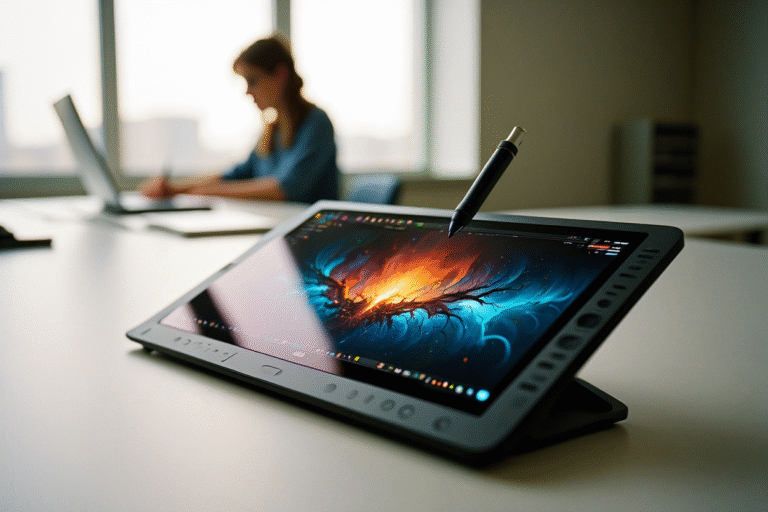
- Tablet sketching/note-taking: HP and ASUS models shine here. Lenovo’s not a true 2-in-1, but ultra-portable.
Warning: If you’re rough on your gear (think: tossing in a bag with no sleeve, using on bumpy trains), prioritize hinge strength. I’ve seen too many 2-in-1s get floppy after months of travel abuse.
My 15-Minute Checklist Before Buying
- Check the real-world weight (not just manufacturer specs).
- Read at least 3 user reviews about battery life — ignore “lab test” numbers.
- Test the hinge in person if you can. Is there wobble when tapping the screen?
- Type a paragraph on the keyboard. Is it comfortable? Backlit?
- Count the ports. Will you need dongles?
- Google “model + trackpad complaint” and “model + hinge problem.”
Quick Comparison Table — Minimal 2-in-1s (2025)
| Model | Weight (kg/lbs) | Battery (Hours) | Hinge | Keyboard | Ports | SD Slot |
|---|---|---|---|---|---|---|
| Lenovo Yoga Slim 7i Carbon | 1.1 / 2.42 | 9-11 | 180° | Excellent | 2x TB4, jack | No |
| HP Spectre x360 14 | 1.35 / 2.97 | 10 | 360° | Great | 2x TB4, 1x USB-A, jack | Yes |
| ASUS Zenbook Flip S OLED | 1.2 / 2.65 | 8 | 360° | Very Good | 2x TB4, HDMI, jack | No |
Handy Links & Tools
- Lenovo Yoga Slim 7i Carbon Gen 8
- HP Spectre x360 14 (2025)
- ASUS Zenbook Flip S OLED (2025)
- RTINGS: Best 2-in-1 Laptops
- r/OneBag (travel gear wisdom)
“I once did a video call from a park bench in Budapest with the HP Spectre balancing on my knees. The hinge held, the battery lasted, and I didn’t curse once. That’s the ultimate field test.”
Bottom line: If you want to travel light, work anywhere, and still have a device you don’t hate using, these minimal 2-in-1s are the sweet spot in 2025. Try before you buy, and remember: sturdy hinges save lives (or at least deadlines).
Some links above may be affiliate. You pay the same price, and this blog might earn a small commission — helps keep the coffee flowing and the Wi-Fi paid up.