Home Office Setup Guides
Setting up a home office can feel like wrangling a stubborn octopus—cables everywhere, budget unknowns, and the worry that your chair will turn against your back by week two. I’ve been there (multiple Airbnbs, random rentals, and a few questionable chairs later). Here’s a practical, step-by-step guide to building your own workspace—whether you want a simple corner or a dual-monitor command center. Every setup below is designed for real-world use: actual gear, honest numbers, and ergonomic details that keep you productive and pain-free.
Context: Why Your Setup Matters (and What Not to Overthink)
Let’s get one thing out of the way: you don’t need to break the bank to work comfortably and efficiently from home. The essentials? A stable desk, a supportive chair, decent lighting, and a monitor at the right height. Everything else is gravy—or a future upgrade.
“I once tried to ‘make do’ with a kitchen chair and stacked books for a monitor stand. My back still hasn’t forgiven me.”
So, whether your budget is $200 or $2,000, you can build a setup that helps you focus, saves your spine, and leaves room to grow. Below, you’ll find three builds: Starter (single monitor, budget), Balanced (dual monitor, mid-range), and Power (productivity beast, full-featured). Let’s get into the nuts and bolts.
Case #1: Starter Build (Single-Monitor Simplicity, ~$250-400)
Essentials List
- Desk: IKEA Linnmon + Adils legs (~$60) or Flexispot basic (~$100 if you want sit/stand on a budget)
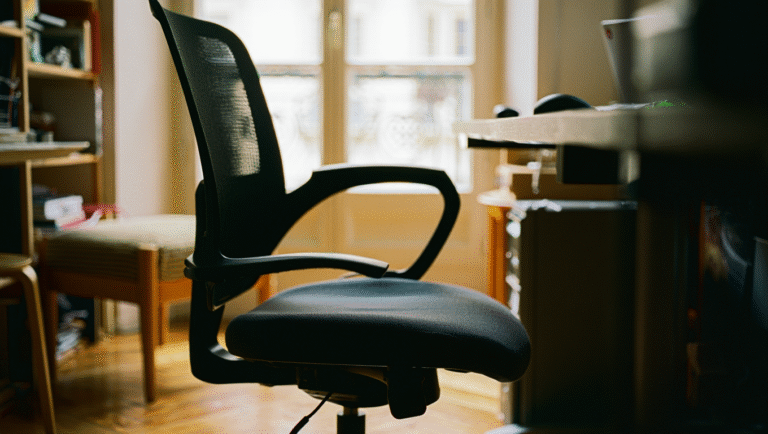
- Chair: Staples Hyken (~$130) or IKEA Markus (~$229)—skip the gaming chairs, trust me
- Monitor: Dell SE2422HX 24” (~$120)
- Monitor Arm: Amazon Basics Single Arm (~$35), or stack books for now
- Keyboard & Mouse: Logitech MK270 wireless combo (~$25)
- Cables/Hub: Anker 4-Port USB 3.0 Hub (~$20)
- Lighting: BenQ ScreenBar e-Reading Lamp (nice but optional, ~$99)
Ergonomics in 60 Seconds
- Monitor height: Top edge at eye level. Use a monitor arm or riser to adjust.
- Chair height: Feet flat, knees at 90°, elbows at desk height.
- Screen distance: About an arm’s length—no squinting or craning.
Quick Power/Internet Redundancy: For true basics, stash a decent power strip under the desk, and make sure your phone can tether if Wi-Fi fails. (No need for a UPS at this level, unless power is flaky.)
“Can I Set This Up in 15 Minutes?”
- Desk: 5 min (if pre-built), 15 min (DIY IKEA style)
- Chair: 5-10 min assembly
- Monitor: 5 min—plug in and adjust height
- Keyboard/mouse: Instant
- Total: 15-30 minutes, less if fueled by coffee
Case #2: Balanced Build (Dual Monitor, Ergonomic Upgrades, ~$800-1200)
Parts List
- Desk: Fully Jarvis Bamboo ($400, sit/stand, sturdy)
- Chair: Used Steelcase Leap or Herman Miller Aeron ($350-500 used, worth hunting for deals)
- Monitors: 2x Dell P2422H 24” ($200 each)
- Monitor Arm: HUANUO Dual Monitor Arm ($70)
- Keyboard: Logitech MX Keys ($99)
- Mouse: Logitech MX Master 3 ($80)
- Dock/Hub: CalDigit TS3 Plus (Thunderbolt, $250) or Anker USB-C hub ($60)
- Lighting: Elgato Key Light Air ($130, flexible for calls/video)
- Audio: Jabra Evolve2 65 (for calls, $220) or Audio-Technica ATH-M20x (wired, $50)
- Chair Mat: Gorilla Grip ($30, saves floors and chair wheels)
Ergonomics Upgrades
- Monitor arms: Set for eye-level and tilt slightly upward. Monitors at 90° angle to windows to reduce glare.
- Desk height: 28–30” for most people sitting. For standing, elbows should be at 90°.
- Footrest: Optional, but helps if feet dangle (I use a $15 foam wedge).
Power & Internet Redundancy: Add a small UPS like APC Back-UPS 600VA ($70). If your router is in range, plug it in too. For backup internet, tether via your phone (check your data plan first!).
“My power went out for 20 minutes on a client call. The UPS kept my laptop and modem alive—saved the day, and my reputation.”
Balanced Build: 15-Minute Wins
- Preset standing/sitting heights on electric desk.
- Label cables with masking tape for easy swaps.
- Create a ‘go bag’ with spare charger, mouse, and cables for quick laptop relocation.
Case #3: Power User Build (Ultimate Dual Monitor + Redundancy, ~$2000+)
Exact Parts List
- Desk: Uplift V2 Standing Desk (with cable management, $650+)
- Chair: Herman Miller Embody ($1,100, or hunt used—gamechanger for long sessions)
- Monitors: 2x Dell UltraSharp U2720Q 27” 4K ($450 each)
- Monitor Arm: Ergotron LX Dual ($250)
- Keyboard: Keychron Q2 Mechanical ($180)
- Mouse: Logitech MX Master 3S ($100)
- Dock/Hub: CalDigit TS4 ($400, top-tier Thunderbolt 4)
- Lighting: BenQ ScreenBar Halo ($180, auto-adjust, saves desk space)
- Audio: Shure MV7 USB/XLR Mic ($250, for pro calls/recording)
- Webcam: Logitech Brio 4K ($160)
- Chair Mat: Office Marshal Polycarbonate ($50)
Pro Ergonomics
- Monitor center at eye level, slightly tilted up.
- Desk and chair set for 90° elbows and knees.
- Invest in an anti-fatigue mat if standing often ($40-80).
- Desk cable tray keeps everything off the floor—less tripping, more Zen.
Power & Internet Redundancy: Full-size APC Back-UPS Pro 1000VA ($150) for laptop, monitors, and router. Dual internet (fiber + mobile hotspot) if you depend on uptime. Check Google Fi, Verizon, or T-Mobile for reliable tethering.
Power User: 15-Minute Quick Wins
- Automate backup to external SSD (use Mac Time Machine or Windows File History).
- Set up Wi-Fi failover on your phone (iOS/Android settings).
- Program desk height memory presets.
- Use cable sleeves to bundle everything—saves time and sanity.
Upgrade Paths: Where to Invest Next
- Chair upgrade: It’s the #1 best ROI for comfort and back health.
- Monitor arm: Boosts desk space and fine-tunes ergonomics.
- Lighting: Better lights = less eye strain. A simple LED bar can change your whole mood.
- UPS/battery: More vital as you take more calls or run a home server.
- Dock/hub: If you’re plugging/unplugging a lot, a good dock is a time-saver.
| Item | Starter | Balanced | Power User |
|---|---|---|---|
| Desk | IKEA Linnmon ($60) | Fully Jarvis ($400) | Uplift V2 ($650+) |
| Chair | Staples Hyken ($130) | Steelcase Leap ($350+) | Herman Miller Embody ($1,100) |
| Monitor(s) | Dell 24” ($120) | 2x Dell 24” ($400) | 2x Dell 27” 4K ($900) |
| Monitor Arm | Amazon Basics ($35) | HUANUO Dual ($70) | Ergotron LX Dual ($250) |
| UPS | – | APC 600VA ($70) | APC 1000VA ($150) |
| Hub/Dock | Anker USB ($20) | CalDigit TS3 Plus ($250) | CalDigit TS4 ($400) |
Links & Tools
- Flexispot Sit/Stand Desks
- Fully Jarvis Desk
- Steelcase Leap Chair
- Ergotron LX Dual Arm
- Logitech MX Keys
- APC Back-UPS 600VA
- CalDigit TS4 Dock
- BenQ ScreenBar Halo
15-Minute Quick Wins (Any Setup)
- Bundle cables with Velcro ties (less mess = less stress).
- Run a light speedtest, and note backup Wi-Fi network.
- Preset your video call background (no more bookshelf panic).
- Place a plant or small lamp to soften the space—mood boost in seconds.
- Check your chair and monitor heights—tiny tweaks, big comfort.
*Don’t stress about perfection. The best setup is the one that gets out of your way so you can get stuff done.*
Some links above may be affiliate. You pay the same price, and this blog may earn a small commission to keep things running—thank you for your support!