Best Mice for Work (2024): No Nonsense Picks
If you’re like me and spend 8+ hours a day wrangling code, docs, or spreadsheets, you know that the right mouse is more than a minor detail. Whether you’re working from a home office, a coworking space in Lisbon, or the back of a van somewhere in Utah, a great mouse makes a huge difference. But most “best mouse” articles are either obsessed with gamer RGB lights or list 17 models you’ll never actually buy.
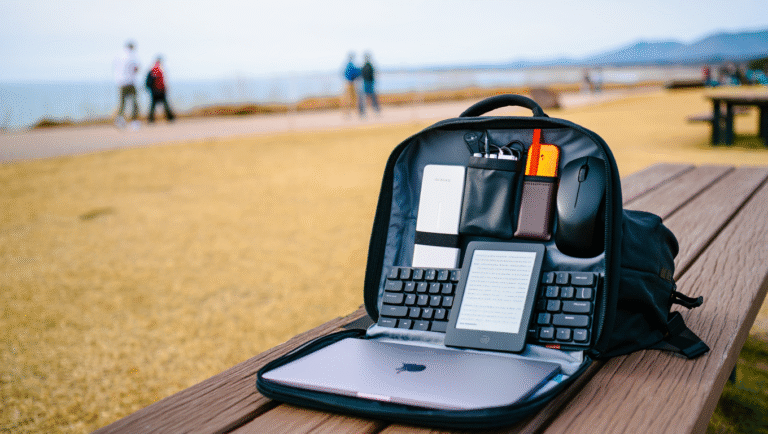
Let’s skip all that. I’ve spent the last year trying out a stack of work-friendly mice—quiet, ergonomic, and portable—on three continents and a few questionable cafe tables. Here’s what actually works when you care about your wrists, your sanity, and your backpack space.
The Problem: Most Mice Are Made for Gamers or Office Dinosaurs
Remember those clunky office mice from the 2000s? Or the ultra-flashy gaming ones with 12 buttons and rainbow lights? Neither are great for real-world remote work. For most of us, the sweet spot is:
- Ergonomic enough for long days, but not a desk hog
- Quiet so you’re not the loud clicker on every call
- Travel-friendly (can survive a backpack, doesn’t weigh half a kilo)
- Reliable battery—because dead mice mid-flight are a crime
- No weird software or forced RGB lights
So, with that in mind, let’s break down a few real-world picks. All of these have been used for work, travel, and a lot of Ctrl+Z action.
Work Mice That Actually Deliver (2024 Picks)
“I’d rather have a boring gray mouse that works every time than a $200 light show that needs firmware updates.”
– A tired remote worker, probably me, last February
Here’s what made the cut this year, plus hands-on pros, cons, and who they’re best for.
| Model | Weight | Noise | Battery Life | Travel? | Price (USD) |
|---|---|---|---|---|---|
| Logitech MX Anywhere 3S | 99g | Very Quiet | Up to 70 days | Yes | $79 |
| Logitech Lift Vertical | 125g | Super Quiet | Up to 24 months (AA) | Medium | $69 |
| Microsoft Surface Mobile Mouse | 78g | Quiet | Up to 12 months (AAA) | Yes | $35 |
| Razer Pro Click Mini | 88g | Ultra Quiet | Up to 725 hours (AA/AAA) | Yes | $69 |
| Anker Ergonomic Vertical Mouse | 95g | Medium | Up to 2 months (rechargeable) | Medium | $30 |
Case Study: The 15-Minute “Is This Mouse Right For Me?” Test
Over the years, I’ve developed a quick way to figure out if a new mouse will work for my setup—or just end up in the gadget graveyard. Here’s my real life 15-minute trial process:
- Plug it in / Pair it up: If setup takes more than 2 minutes, that’s a red flag. Bonus points for USB-C charging, not micro-USB hell.
- Click everything: Open a few browser tabs, close some, drag files. Annoy your dog or partner for science.
- Check the scroll wheel: If it’s scratchy or loud, it’ll drive you nuts at 2am. I want smooth, and ideally, silent.
- Pick it up and move around: Does it fit your grip? Can you toss it in your bag without breaking a wrist or the mouse?
- Switch surfaces: Will it work on a glass table, a coffee shop slab, the arm of a couch?
Most good mice will “just work.” If you’re fighting with drivers or unboxing headaches, move on.
Hands-On Pros & Cons: Quick Notes
Logitech MX Anywhere 3S
Pros: Insanely portable, quiet clicks, USB-C charging, pairs with 3 devices. Works basically anywhere.
Cons: Small for big hands, no lefty version, not the cheapest.
Logitech Lift Vertical
Pros: Game-changer for wrist comfort. Super quiet. Long battery life (AA, lasts forever). Vertical grip reduces fatigue.
Cons: Takes a day or two to adjust. Bulky for travel. Right-handed only (lefty version exists, but rare).
Microsoft Surface Mobile Mouse
Pros: Light, affordable, solid build. Clicks are soft. Simple—no weird software popups.
Cons: Not ergonomic for long coding marathons. Buttons feel a bit “average.”
Razer Pro Click Mini
Pros: Best silent clicks I’ve tried. Compact, but not cramped. Up to 3 devices. Switchable DPI for designers.
Cons: A tad heavier with two batteries. Pricey for what it is.
Anker Ergonomic Vertical Mouse
Pros: Cheap, surprisingly comfy, decent battery. Good starter vertical mouse.
Cons: Scroll wheel a bit noisy. Not as refined as Logitech/Razer. Odd shape in small hands.
Quick Checklist: What Actually Matters
- Size/Weight: Under 120g is best for travel.
- Noise: If you’re on calls, “silent” or “very quiet” is gold.
- Battery: Rechargeable USB-C or AA/AAA. Avoid micro-USB if you can.
- Ergonomics: If you get wrist pain, consider a vertical mouse.
- Multi-device: Nice for moving between laptop/tablet/desktop.
- No junk software: You shouldn’t need to install anything just to scroll.
Bonus: My Go-To Mouse for Remote Life
If I could only keep one, it’d be the Logitech MX Anywhere 3S. It’s survived airport security, spilled coffee, toddler attacks, and multiple 12-hour workdays. The battery lasts forever (I charge mine maybe 5-6 times a year), it’s tiny, and it never makes a fuss.
That said, if you have wrist pain or do a ton of design work, the Lift Vertical or Razer Pro Click Mini are worth a look.
Useful Links & Tools
- Logitech MX Anywhere 3S
- Logitech Lift Vertical
- Microsoft Surface Mobile Mouse
- Razer Pro Click Mini
- Anker Ergonomic Vertical Mouse
- RTINGS Office Mouse Ratings
*Pro tip: Always carry a spare AA or AAA if your mouse uses them. It’s saved me more than once in airports and buses.*
Some links above may be affiliate. You pay the same price, and this blog may earn a small commission—helps keep the coffee fund going. Thanks for your support!
Thanks for reading, and if you’ve got your own real-world mouse recommendations (or horror stories—looking at you, Bluetooth dropouts), drop them in the comments. Nothing beats advice from people actually using this gear in the wild.
And if you’re still on the fence: remember, even a $70 mouse is a cheap upgrade compared to physio bills or hours lost to hand cramps. Take 15 minutes, try one out, and see if your workflow and wrists thank you.
Happy clicking—quietly, of course.