Drone Photography for Families (2025 Basics)
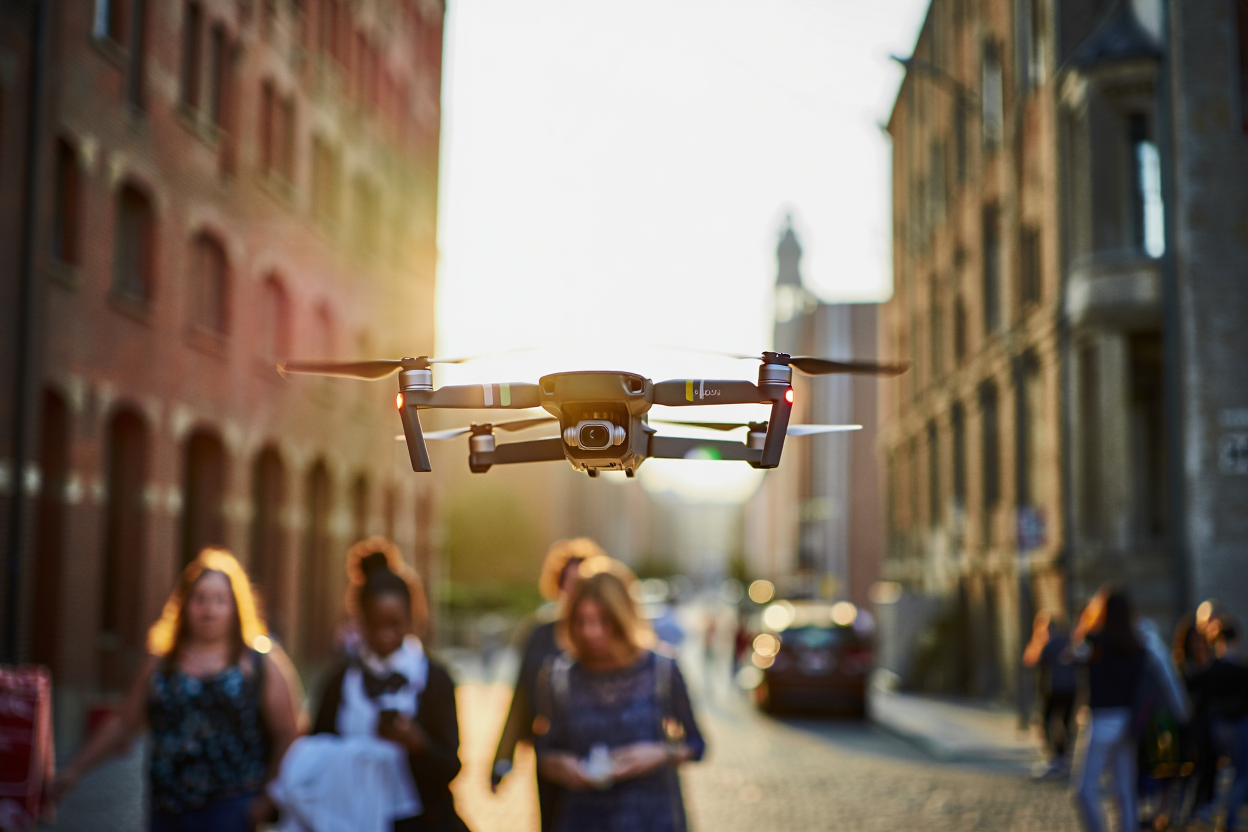
Drone photography isn’t just for tech geeks or aspiring influencers anymore. Over the past few years, I’ve seen more families (mine included) bring drones on road trips, hikes, and even backyard BBQs. The reason is simple: drones capture angles that make your memories epic, and—let’s be honest—kids love chasing them as much as you love the bird’s-eye shots.
Why Drone Photography Makes Family Memories Better
Let’s set the scene: You’re at a lake, everyone’s smiling, sun’s going down. You could take the standard phone pic, or you could launch a drone and get that cinematic sweep with everyone waving from the dock. The difference? The second one is the shot your family will actually print and frame.
Tip: You don’t need to be a pro pilot. Most beginner drones now have “easy mode” features and obstacle avoidance. If you’ve played Mario Kart, you’ll be fine.
Case Study: How Our Road Trip Got Leveled Up
Last summer, my wife and I packed the kids and hit the Blue Ridge Parkway. For the first time, we brought a DJI Mini 3 Pro (under $800, fits in a backpack). I thought I’d mess up the controls or lose it to a gust of wind, but within 10 minutes, I was filming sweeping shots of the mountains—while my son pretended to be Godzilla in the background. The kids still talk about “that summer drone movie.”
Beginner Drone Picks for 2025
Buying a drone can feel like shopping for a laptop: too many specs, not enough plain English. Here’s what actually matters for families:
- Weight: Under 250g means less FAA hassle (more on that below).
- Camera: Look for at least 2.7K video and gimbal stabilization for smooth shots.
- Battery Life: 20+ minutes is plenty for most family outings.
- Durability: Kids and trees happen. Foldable arms and propeller guards are a must.
Top 3 Drones for Families (2025)
| Drone | Price | Flight Time | Camera | Amazon Link |
|---|---|---|---|---|
| DJI Mini 4 Pro | $759 | 34 min | 4K, 60fps, 3-axis gimbal | See on Amazon |
| Potensic Atom SE | $299 | 31 min | 4K, 30fps | See on Amazon |
| Holy Stone HS720E | $259 | 23 min | 4K, EIS (electronic stabilization) | See on Amazon |
All three are beginner-friendly, have solid app support, and won’t break the bank if a kid decides to “help” land it.
FAA Rules: Don’t Get in Trouble
Here’s the deal: In the US, you need to follow some basic rules, even for fun family flights. Most drones under 250g (like the Mini 4 Pro and Atom SE) don’t require FAA registration for recreational use, but you still have to fly responsibly.
- Keep your drone within visual line of sight.
- Don’t fly over people or moving vehicles.
- Stay under 400 feet altitude.
- No flying near airports (check the app for no-fly zones).
Note: If your drone is over 250g, register it with the FAA (faadronezone.faa.gov). It’s $5, takes 5 minutes, and saves you a headache. (I forgot once and got a polite but firm warning from a park ranger.)
Safety Checklist: Before Every Flight
- Check the weather: Wind is a drone’s worst enemy.
- Inspect propellers: Cracks? Replace immediately.
- Battery charged? Always start at 100%.
- SD card inserted? Nothing worse than a perfect shot… and no storage.
- Update firmware: Most drones prompt you in the app.
- Clear takeoff/landing zone: Kids and pets out of the way.
Battery Care: Keep Your Drone Alive
Batteries are expensive (around $50-$90 each) and sensitive. Here’s how to make them last:
- Don’t drain to zero: Land at 20% battery. Deep discharges kill cells fast.
- Store at 50-60% charge: Not full, not empty—just right.
- Use original chargers: Knockoff USB cables overheat and shorten life.
- Keep batteries cool and dry: No beach bag, no direct sun.
Pro tip: Mark your batteries with a piece of masking tape and a number. Helps avoid “which one did I use already?” chaos when you’re reloading in the field.
Insurance and Liability: A Quick Reality Check
If your drone is under 250g, insurance isn’t required, but accidents happen. One gust of wind, and you could be apologizing to your neighbor for a dented car—or worse.
- Homeowner’s or renter’s insurance: Sometimes covers drone liability. Double-check your policy.
- DJI Care Refresh: (for DJI drones) Covers accidental damage, including watery landings. About $65/year.
- Standalone drone insurance: For higher-value models or if you want extra peace of mind. Check out providers like Verifly or SportsCover Direct.
Quick-Start Drone Photography Checklist
| Step | What to Do |
|---|---|
| 1 | Charge batteries to 100%. Bring spares. |
| 2 | Update drone/app firmware at home (Wi-Fi). |
| 3 | Check SD card space and insert. |
| 4 | Scout a safe takeoff/landing spot away from crowds. |
| 5 | Do a quick preflight prop check. |
| 6 | Open your app’s map to check for no-fly zones. |
| 7 | Set camera mode (auto is fine; try HDR for sunsets). |
| 8 | Start with a slow, steady flight. Don’t rush. |
| 9 | Land at 20% battery. Swap, repeat as needed. |
Handy Apps and Tools
- B4UFLY: FAA’s official app for checking no-fly zones and airspace.
- AirMap: Great for planning flights and avoiding restricted areas.
- Windy: Real-time wind and weather info. Trust me, check it before flying.
- Canva: Easy editing for those family drone shots—add text, filters, or even silly stickers.
- Landing pads: Inexpensive, keeps your drone safe from dirt and grass on takeoff.
Final Thoughts
Drone photography isn’t about chasing perfection. It’s about capturing your family’s real adventures from a new angle—and maybe getting a few laughs along the way. Start small, stay safe, and don’t be afraid to let the kids pilot (supervised, of course). The best drone is the one you’ll actually use.
Some links may be affiliate. You pay the same price, and this blog may earn a small commission.